You can get your PrivatBank account details, a certificate with account details and a card statement in Privat24 in a couple of minutes. Short answer first, step-by-step screenshots below.
In the app. On the web: Wallet → card → the account details icon in the top right corner.
Choose the card and the certificate language, then click Generate. Step by step
Set the dates and save the statement as a PDF or send it by e-mail. Step by step
For a foreign currency transfer from abroad.
Button names as in the English interface of Privat24.
Do friends ask you for help with banks and paperwork? Earn 10–15% on referrals
- Web version: "Wallet" → select the card → the account details icon in the top right corner.
- Mobile app: "Wallet" → select the card → "Manage" → "Details".
- Details for a SWIFT transfer from abroad: "Services" → "Transfers" → "SWIFT" → "Details".
The screenshots show the English interface of Privat24; the menu names below match them.
- Log in to the Privat24 web version with the phone number linked to your account.

- In the left-hand menu select "Services" and open the "Certificates" section.
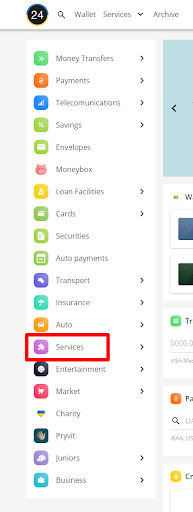
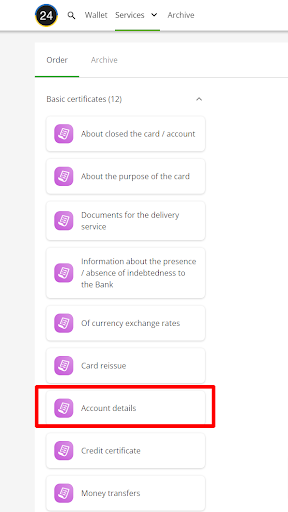
- Open "Basic certificates" and choose "Account details".
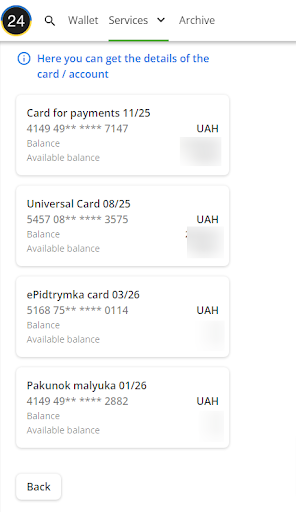
- Select the card or account you need the details for.
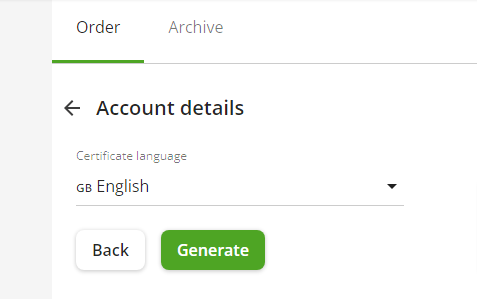
- Choose the certificate language (English for a foreign bank or consulate) and click "Generate".
- Open the most recent certificate in the list (the "Archive" tab).
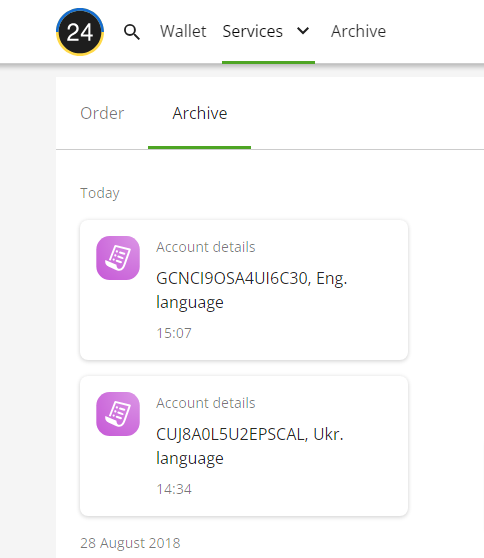
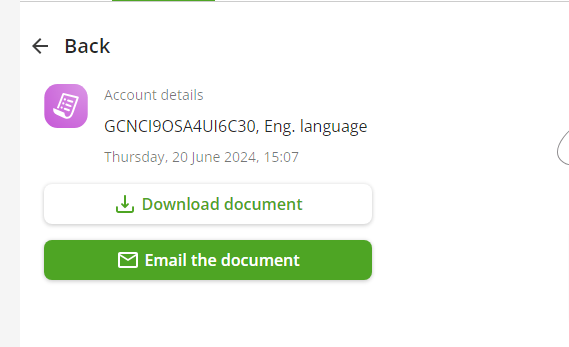
- Click "Download document" to save the PDF, or "Email the document" to send it to your e-mail.
- The certificate shows your name, account number, IBAN, the bank's details, the date and the document number. Using that number, the recipient can verify the certificate on PrivatBank's document verification page.
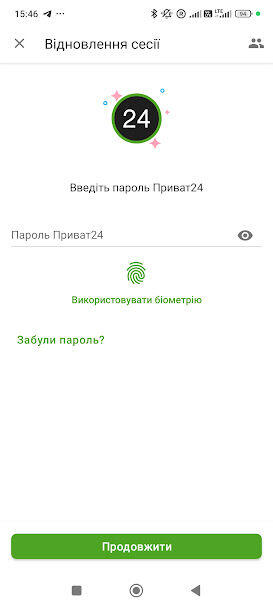
- Open the Privat24 app.
- At the bottom of the screen tap "Services".
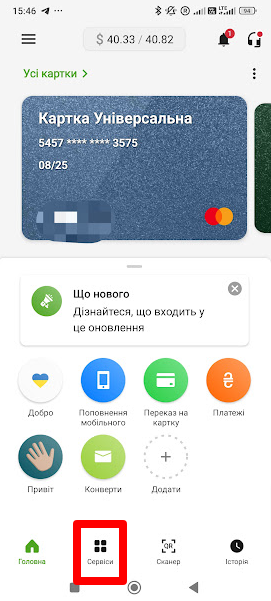
- Then the same path as on the web: "Services" → "Certificates" → "Basic certificates" → "Account details", then the card, the language and the "Generate" button. Save the PDF to your phone or send it to your e-mail.
A statement is the list of card transactions for the dates you choose. Accountants, tax offices, embassies and banks checking the source of funds ask for it.
- In Privat24 open Wallet and select the card. The balance and the latest transactions are shown right below it.
- Tap History to open all transactions on the card.
- Set the period: a month, a quarter or your own dates. Then tap the statement button or the download icon.
- Save the statement as a PDF or send it to your e-mail. The web version works the same way: the card on the home page, the dates above the transaction list, the export button for PDF or Excel.
For a visa, consulates usually ask for a statement covering several months, in English, showing the balance. Check the exact list on the consulate’s website.
Do friends ask you for help with banks and paperwork? Earn on referrals
If people come to you for advice on getting a bank certificate, opening an account abroad or paying tax after a move, refer them to Crystal Tax. We handle the client’s task, and you receive a commission under a contract.
- 1Apply takes a few minutes, we reply within one business day
- 2Refer introduce us to the client with their consent
- 3Get paid after the client pays, with a report
Remote, from any country, no client quotas. Employees take part with their employer’s written consent; we do not pay commissions to civil servants.
Pick your situation. Under each one is what we help with.
If you need it for payments from abroad, an account abroad or a relocation, tell us what you are working on. We reply within one business day.